
Shutdown notifications
Architect supports server notifications for different types of shutdowns:
- Normal requested shutdown
- Shutdown due to mod update (if title supports modding)
- Shutdown due to title update
When one of these types of shutdown occurs, Architect will check if your server has enabled notifications (Server, Settings, Notifications).
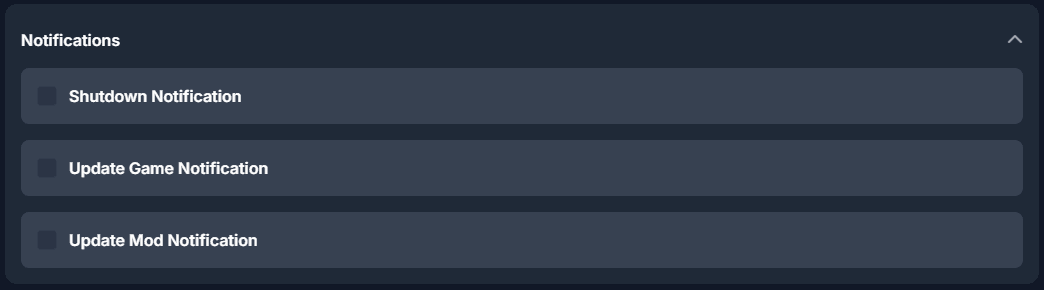
Should notifications be configured, it will execute all configured steps.
Following steps are supported:
- Incremental messaging in an interval
- Server player connect lock (if locking is supported by title)
- Player removal (if kicking is supported by title)
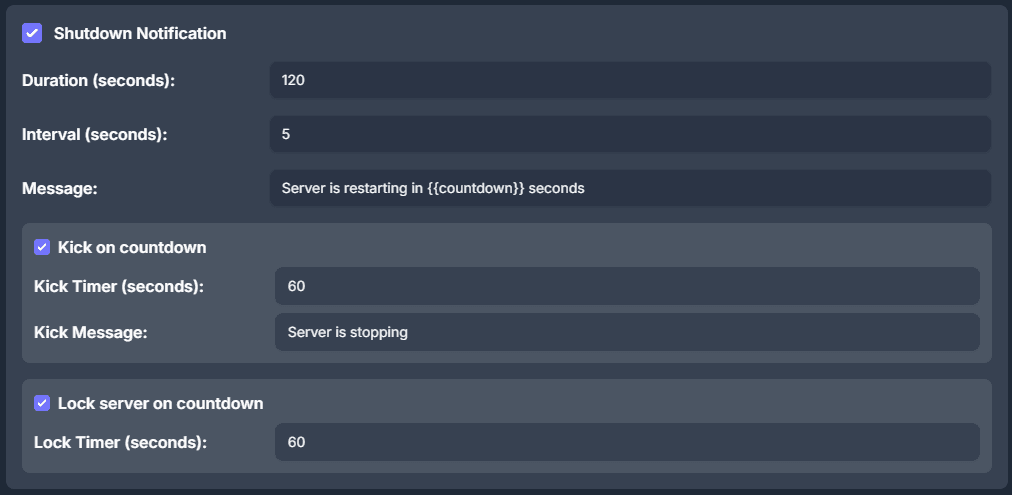
You are able to individually customize each step or disable them for each shutdown type.
Message templating
| Template-Key | Content |
|---|---|
| countdown | Time relative in seconds to the initiated shutdown |
| delta | Time relative in seconds to the activation of the player kick. (Only if kick is enabled) After kick delta reaches 0, it will remain at 0. |
| mod | Name of the mod that is pending for installation. (Only for mod update notifications, availability depends on title, mod title names may include non ASCII characters which are not displayable in-game) |
| mod_id | Mod id under which the mod is tracked |
Related Articles
Frequently asked questions
Common questions about connecting Manager to an Agent, console windows, OmegaManager migration, ports, RCon, and the cache directory.
Moving an Agent installation
Depending on requirement, you may not require to move the entire installation, it is possible to change the locations of the following directories:
Updating an Architect Agent
Update Architect Agent from Toolbox on Windows, or replace the binary manually when an automatic update is not available.